
A Mascot Became an App Helper Overnight. The Floss Was Harder.
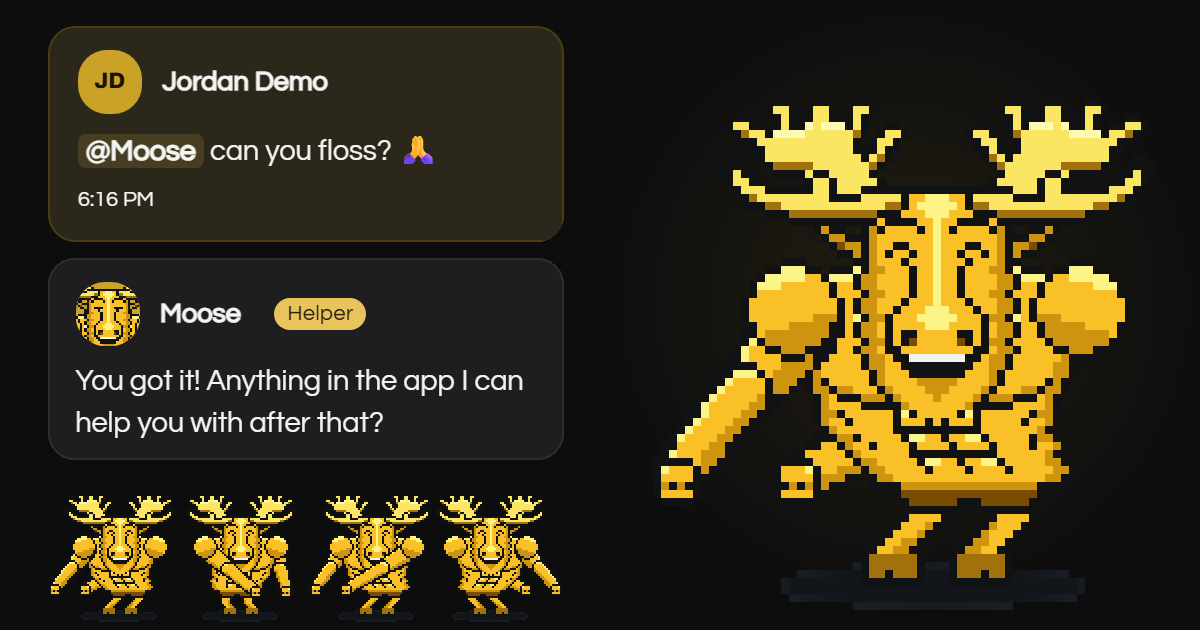
Moose, our client's mascot, became an in-app chat helper in about a day. Teaching him to floss took five tries. The AI tools didn't get the dance right the first, second or third time. What fixed it was staying in the loop.
TL;DR
- We turned Moose, Moose Coaching's approved mascot, into an in-app AI support agent for the members' app we build and run for them, in about a day. He answers how-to questions in plain words, checks the member's own records, says when a problem is already known and files a ticket for new bugs. People approve every fix.
- It went fast because the pieces were already in place: a living map of every workflow in the app, and Moose himself, already animated as the star of the app's launch video.
- The server, not the AI, decides whose records are read and which animation plays. That one rule settles the privacy question and keeps party moves away from upset members.
- A typical question costs roughly a tenth of a cent.
- The floss was the hardest part: five versions, re-animated frame by frame. Staying engaged beat "do this, make no mistakes".
Why give a members' app an AI helper at all?
A members' app run by a small team gets the same questions every week, and a few real bugs hidden among them. Each "my notifications stopped" means someone checks the member's phone, settings and records by hand. Without first-line help, real problems wait behind how-to questions and members feel unheard.
Moose Coaching's team are coaches, not engineers. They needed answers in plain words, real problems routed to the people who fix them, and no new job of reading logs.
How did we teach an AI the whole app in a day?
We didn't start from a blank page. This app already had a living map of every workflow in it, kept in sync with the code. We refreshed it to 55 workflows, 29 of them used by members, and wrote a 39-topic plain-language member guide from it.
A workflow map is a written record of each thing a person can do in the app, such as changing a sign-in email or signing up for an event. Each entry covers who does it, where, and what should happen.
The guide is written in members' language. For each topic it covers where a feature lives, how to use it, what people commonly get wrong, and when something is expected behaviour rather than a problem worth reporting. Every statement was checked against the actual screens and code. Staff-only features appear only as "an administrator does that."
The whole guide is kept ready in Moose's memory, so he reads all of it on every question. Text kept ready like this (the technical name is a cached prompt) costs a tenth of the usual price to read, which made "know everything, every time" cheap enough that we never needed to build search.
How did a launch-video mascot become 37 live reactions?
Moose is Moose Coaching's approved mascot and the star of the launch video we animated for their members' app. He was built as a moving character in Cutgraph Studio, the video tool from our sister company Analytical Solutions (coming soon). His face combines 5 brows, 5 eyes and 5 mouths into 125 faces, across 10 moves. That's over a thousand face-and-move combinations. We reviewed 66 candidates and hand-picked 37 reactions. Each one is a strip of drawn frames the browser flips through, so it loads instantly and needs no video player. It plays three loops, then rests, and stands still for anyone whose device asks for reduced motion.
Who picks the reaction: the AI or the server?
The server does. The AI never names an animation. It reports the moment, such as a greeting, a known issue or a goodbye, plus the member's mood and how strong it is. The server picks a fitting reaction from a hand-built table. Party moves never play for a frustrated member or during a problem.
So a member in a good mood who asks for the floss gets the floss, and a member reporting a broken feature never gets a dance.

Why was the floss the hardest part?
Choreography is hard to put into words, and Moose is pixel art, so the floss had to be re-animated frame by frame. The AI tools drew five versions and I sent four back. Each fix came from looking at the frames and describing the move more precisely.
In the floss, straight arms swing side to side against the hips, each arm passing behind the body on one side and in front on the other. Depth is the whole trick.
The first version only snapped side to side. The second was close, but each arm stayed in front or behind for a whole swing, so it still read as side to side. So I wrote the move out beat by beat: arms out through the hips to the front, across the body, back through the hips to behind, then the same again the other way. The next version put both arms in front. The one after had an arm behind him in one frame and in front a split second later, which physically isn't possible. Finally I listed the frames in order and said which arm stays behind until when. Version five is the one in the app.
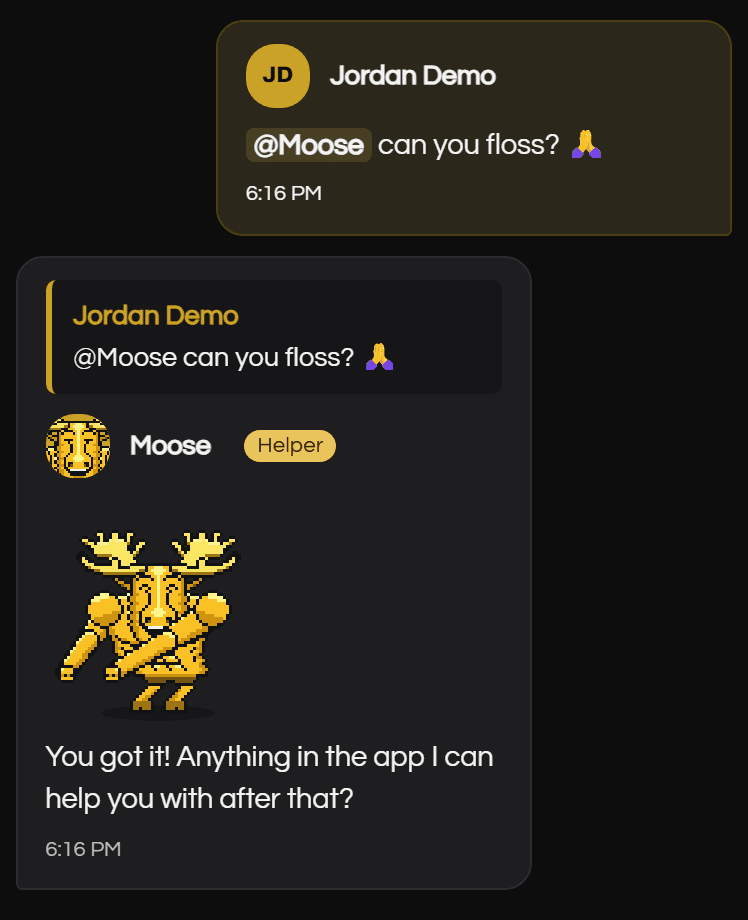
The AI tools weren't careless; each round showed me what my description was missing. "Do this, make no mistakes" can't work until you've said exactly what "this" is. Staying engaged does: say what you want, look at what comes back, and say precisely what's wrong.
How does an AI helper take pressure off a small team?
Moose handles first-line help, so members get a plain answer in the room and the team gets fewer repeat questions and better bug reports.
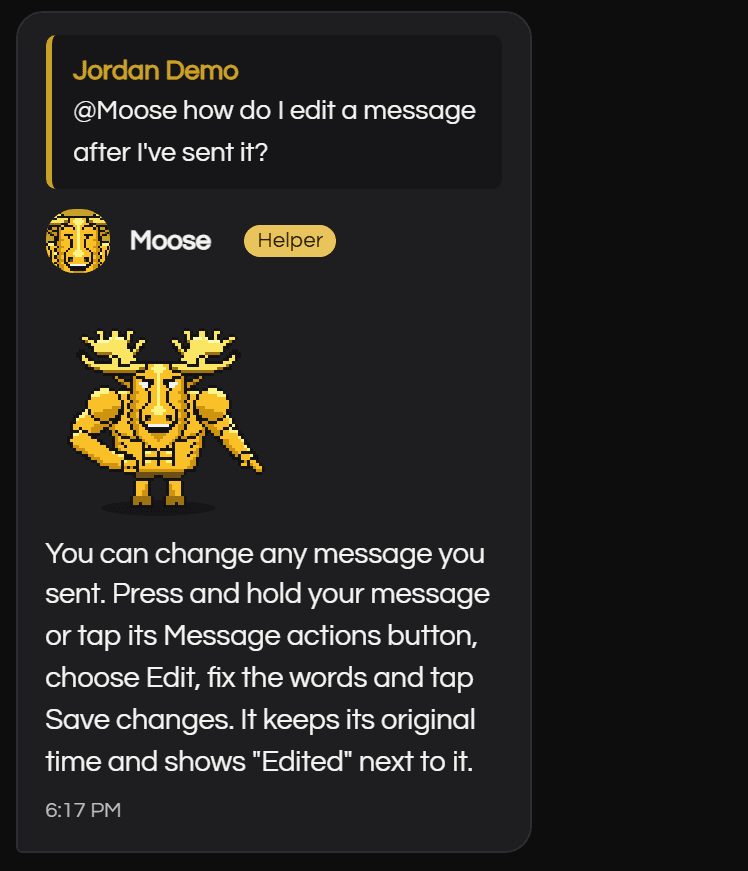
- Plain answers. Two to five sentences, with numbered steps when the member has to do something. No code, no jargon.
- Checks on the member's own records. Read-only, and only the asker's: phones and notifications, sign-in, membership status, event sign-ups, uploads, app version, their own progress, the getting-started checklist and unread messages.
- No guessing. A short activity log records when the app refused something, as short codes only, kept 30 days. Moose can say what happened, or that the app has no record of it.
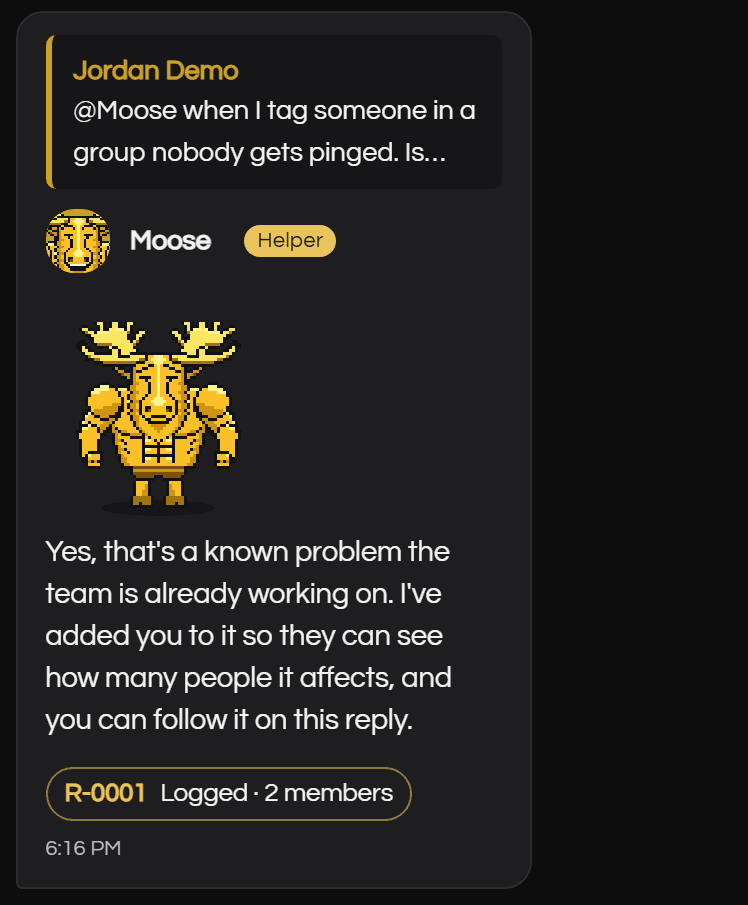
- Known problems. If the team already knows about an issue, Moose says so and adds the member to that report instead of filing a duplicate.
- New problems. A real bug becomes a ticket for the team, with the technical detail they need.
What did the first real bug report look like?
On launch morning, a member noticed that tapping a name in the @-mention list did nothing on iPhone; it worked on Android. The team confirmed an iPhone browser quirk, fixed it and added an iPhone test. Real members find real bugs on day one, and the team's loop is the same every time: report, confirm, ticket, then a fix a person approves. Moose now handles the first half of that loop.
How do you keep an AI helper private and in its lane?
Put privacy in the server, not in the prompt. The server decides whose records Moose reads, not the AI, and nothing a member types can change that: it's the asker's own, or a member an administrator asks about, and every check is logged. Moose can find and report problems, but people decide and approve every fix.
Moose's account checks never return payment amounts, card details, the figures in personal results or anyone's private messages. His replies in the shared room leave out email addresses and phone numbers, and a reply about another member also leaves out their devices and when they did things. He checks billing and personal results only for the person asking, and even then answers in broad terms like "needs attention", because the whole room can read it. Private details go only into the team's ticket.
Moose never fixes code. If a reply claims "I fixed it", the server rewrites it. Moose says a problem is fixed only after the team marks it fixed. Moose Coaching controls an off switch and daily question limits.
What does an in-app AI helper cost to run?
Very little. Moose runs on Claude Haiku 5.5, which costs about a twentieth of the larger Claude Sonnet 5.5. A typical question costs roughly a tenth of a cent, so $20 of prepaid credit lasts thousands of questions.
The small model is enough because the hard parts don't depend on the model. The guide supplies the knowledge, the server enforces the rules, and people approve the fixes.
What can you apply to your own app?
You can apply most of this without a mascot or a big budget:
- Write down your workflows first. One entry per thing a person can do, kept current with the app. It becomes the AI's knowledge and your team's checklist.
- Turn it into a plain-language guide. Check each statement against the real screens. Say what's expected and what's worth reporting.
- Let the AI label and the server decide. The AI reports what's happening. Your code chooses data, answers and reactions.
- Give it a way to file tickets, with duplicate checks. "We already know about this" is a useful answer.
- Keep fixes with people. Review and approve every change.
- Start on a small model with the guide kept ready in its memory. Measure the cost before you scale up.
Frequently Asked Questions
Can an in-app AI helper see other members' data?
Not if the server sets the scope. In the members' app we run for Moose Coaching, the server decides whose records Moose reads: always the person asking, or a member an administrator asks about, and every such check is logged. Payment amounts, card details and the figures in personal results never appear in the shared room.
How much does an in-app AI helper cost to run?
On Claude Haiku 5.5, a typical question costs roughly a tenth of a cent. Keeping the whole member guide ready in the model's memory keeps costs low, because text kept ready like this costs a tenth of the usual price to read. $20 of prepaid credit lasts thousands of questions.
Can an AI helper fix bugs on its own?
It shouldn't, and Moose can't. Moose answers questions, checks the member's records and files a ticket when it finds a new bug. A person reviews and approves every fix. Moose says a problem is fixed only after the team marks it fixed, and the server rewrites any reply that claims otherwise.
How fast can you add an AI helper to an existing app?
It depends on what's already in place. Here the build started late one evening, and the helper, the member guide and the account checks were all in by the end of the next day. That was possible because the app already had a current map of its workflows, and the mascot was already animated.
If you'd like help putting a supervised helper like this inside your own application, see how we approach application development.
About the author: William Rodriguez is the founder of Analytical Ants. He builds and runs applications around real work, and choreographed Moose's floss one beat at a time. More about Analytical Ants.